
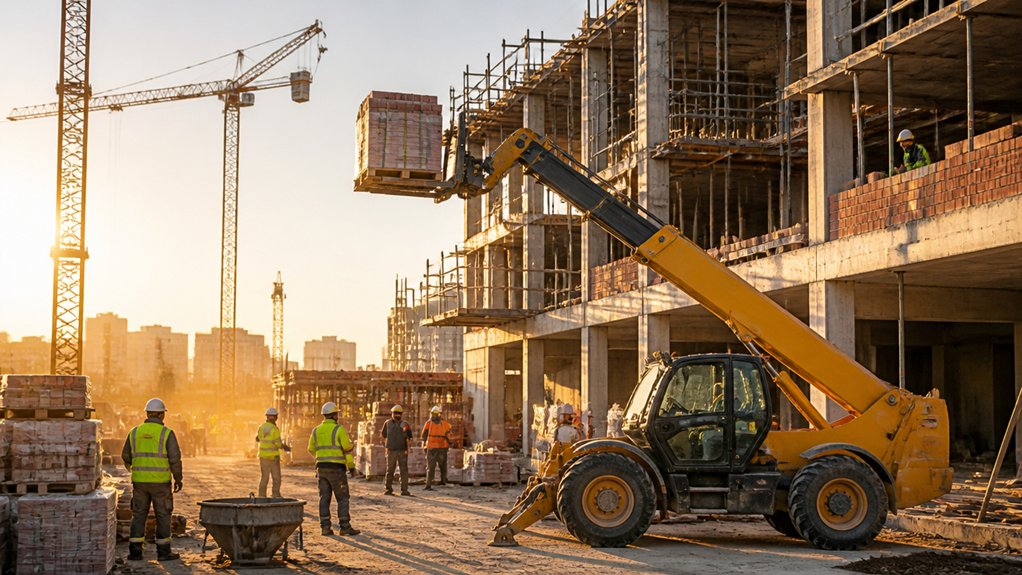
Like a well-run pit crew, you need the right machine to keep a busy building site moving. A telehandler combines lifting, reaching and material handling, so you can reduce equipment changes, reposition loads quickly and keep trades supplied. Its telescopic boom and interchangeable attachments support work from ground level to elevated platforms, while careful operation helps prevent delays. The real gains depend on choosing the right model, attachment and working method—details that can make or break site efficiency.
What Is a Telehandler Used For?
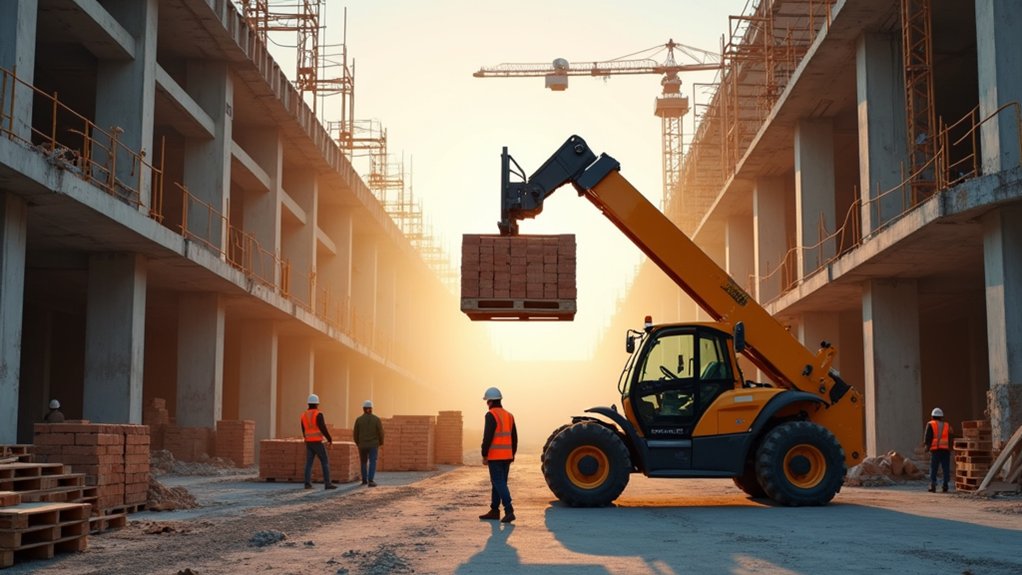
A telehandler is used to lift, move and place materials on construction sites, farms, warehouses and industrial worksites. You can fit forks, buckets, work platforms or specialist attachments to suit different tasks, including handling pallets, loading aggregates, placing roof materials and feeding waste systems.
Its telescopic boom gives you controlled reach and height where a forklift or loader may not provide sufficient access. Equipment versatility makes one machine suitable for changing site requirements, helping you reduce the need for separate plant.
You’ll need appropriate operator training before use, covering controls, attachment limits, load charts, stability and safe working distances. In the UK, you should also follow the manufacturer’s instructions, site traffic plans, LOLER requirements for lifting accessories and PUWER duties for safe equipment provision and use.
How Telehandlers Move Materials Faster
Telehandlers move materials faster by combining lift, reach and placement in one machine, so you can unload, carry and position loads without repeated equipment changes. This streamlines Material handling across busy UK building sites, particularly when you’re moving pallets, blocks, steelwork or bagged materials between delivery points and work areas.
A telescopic boom lets you pick up loads from awkward positions, while attachments such as pallet forks, buckets and lifting jibs suit different tasks. You can plan clear travel routes, reduce double-handling and keep deliveries moving with fewer machine movements.
Four-wheel steer and compact dimensions help you manoeuvre around hoarding, plant and unfinished structures. Better Site logistics also means less waiting for separate forklifts or cranes, helping your team maintain production while following the manufacturer’s load charts, ground-condition guidance and site traffic controls.
How Telehandlers Reach Elevated Work Areas
How do telehandlers reach elevated work areas safely and efficiently? You use the telescopic boom to extend upwards and forwards, giving you controlled Aerial access from a stable position on firm, level ground.
Hydraulic controls let you raise, lower and retract the boom smoothly, while the load chart confirms the permitted capacity at each reach and height.
Before lifting, you should assess ground conditions, overhead obstructions, wind, exclusion zones and nearby services.
Level indicators and stabilisers, where fitted, support accurate Elevated positioning, but you must follow the manufacturer’s instructions and site rules.
A trained, authorised operator should complete daily checks and maintain clear communication with colleagues.
On UK sites, follow LOLER, PUWER and relevant guidance, including separation from people and safe working distances near overhead power lines.
Choose the Right Telehandler Attachment
Choosing the right telehandler attachment guarantees the machine can handle the task safely and efficiently. Match forks to palletised materials, buckets to loose aggregates, and work platforms to approved personnel-lifting duties.
Check attachment compatibility against the telehandler’s load chart, carriage type, hydraulic flow, and rated capacity; an attachment’s weight reduces the payload available at reach. Confirm the manufacturer approves the combination and inspect locking pins, couplings, hoses, and guards before use.
Consider site conditions too: compact forks suit tight UK housebuilding plots, while wider buckets can improve productivity on groundworks projects. Where you need precise placement from a safe position, a Remote control attachment may support specialist operations, provided the telehandler and attachment are designed for it.
Keep manufacturer instructions and certification with the machine, and select only accessories suited to the planned load.
Operate Telehandlers Safely and Avoid Delays
Once you’ve selected a compatible attachment, plan each lift around the telehandler’s load chart, ground conditions, travel route, and landing area. Confirm the operator holds the required competence, then use a trained banksman where visibility is restricted. Keep people outside the exclusion zone, secure loads properly, and travel with the boom retracted and load low. Don’t exceed rated capacity, particularly when placing materials at height or reach.
Check overhead cables, doorways, slopes, and changing ground before moving. Effective Construction site safety depends on clear signals, controlled speed, and stopping work when conditions change.
Complete daily inspections, checking tyres, forks, hydraulics, lights, alarms, and stabilisers. Planned equipment maintenance prevents breakdowns, protects productivity, and supports compliance with LOLER and PUWER. Record defects immediately and don’t operate the machine until you’ve resolved safety-critical faults.
Conclusion
Telehandlers help you keep busy UK building sites moving by combining lifting, reaching and handling in one machine. You’ll place materials faster, access elevated work areas and reduce unnecessary equipment movements. Select attachments that match each task, and follow the manufacturer’s load charts, ground-condition guidance and site traffic controls. When operated by trained personnel, a telehandler becomes the site’s backbone, helping you avoid delays, improve logistics and maintain safer, more productive workflows throughout your project.